
Last Updated: November 3, 2026
Quick Summary
To create a shared digital recipe collection for relatives, gather handwritten cards, printed recipes and remembered dishes, then photograph each card and transcribe everything into one consistent template with the same fields. Store the files in a shared cloud folder with clear editor, contributor and viewer access, and export portable copies twice a year.
- Set a two-week deadline for contributions so gathering does not drag on for months.
- Photograph every card before typing, using soft daylight and no flash.
- Have one other relative check each recipe against the original card before it is shared.
- Name files Dish - Cook Name and keep a master index sheet of every recipe.
- Download a full export twice a year and keep three copies in two places.
Table of Contents
- Step 1: Gather Recipes from Relatives and Existing Collections
- Step 2: Scan and Photograph Handwritten Recipe Cards
- Step 3: Transcribe Recipes into a Consistent Digital Format
- Step 4: Build a Collaborative Recipe Book Relatives Can Add To
- Step 5: How to Create a Recipe Book for Free and Keep It Organized
- Step 6: The Best Way to Make a Family Cookbook for Future Generations
- Step 7: Set Up a Digital Recipe Book Free of Cost for Every Relative
- Start Your Family Recipe Collection with RAK GROUP's Meal Prep Guide
- Frequently Asked Questions
Step 1: Gather Recipes from Relatives and Existing Collections
A shared digital recipe collection starts with a simple question: who has the recipes, and where are they hiding? The answer is usually spread across kitchen drawers, email inboxes, and the memory of one aunt who never wrote anything down.
Gathering the raw material first, before worrying about formatting, makes the rest of the project go more smoothly.
Start by asking every relative for three things:
- Handwritten recipe cards and notebook pages
- Printed recipes clipped or saved over the years
- Dishes they cook from memory with no written version
Set a deadline for contributions. A loose "send me what you have" drags on for months. A two-week window gets people moving.
Watch out: skip the aunts and uncles who "don't cook much." They often hold the oldest cards from grandparents, tucked in a box they forgot about.
The University of Illinois Extension's guide to creating a family recipe collection makes a useful point: gathering is as much about the stories behind each dish as the ingredients. Ask for a sentence or two of context with every recipe. Future generations will thank you.
Step 2: Scan and Photograph Handwritten Recipe Cards
Photograph every card before you type a single word. The image is your backup, and handwriting fades, smudges, and tears.
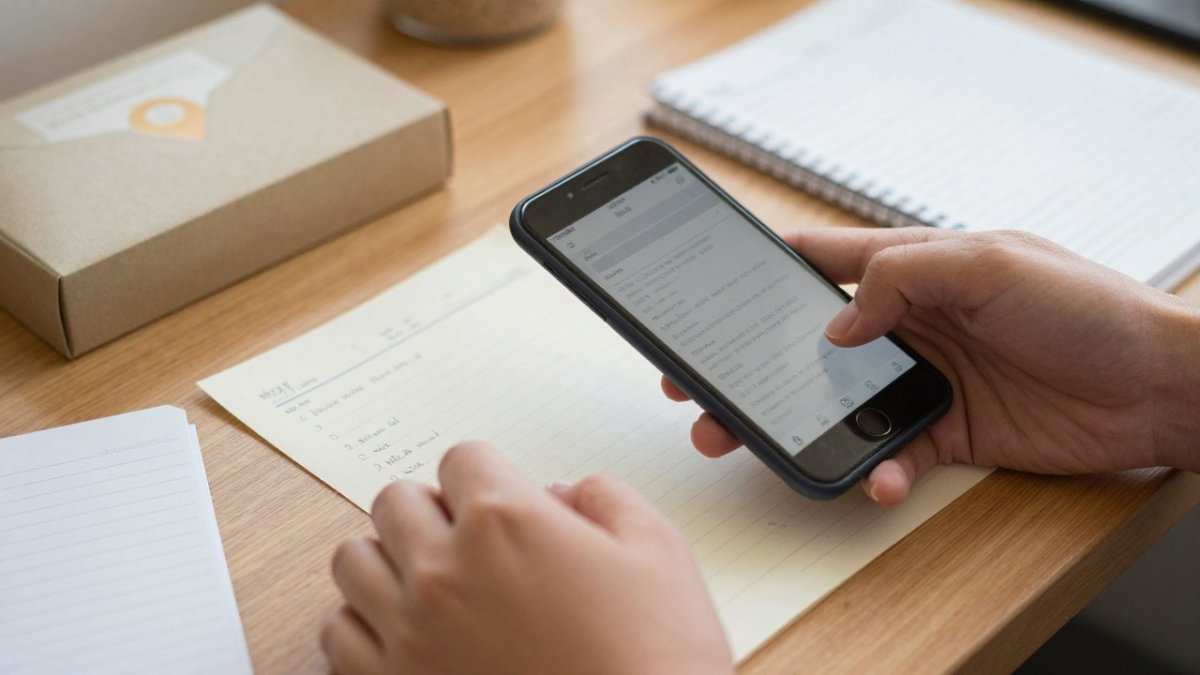
A few habits make this step painless:
- Use a flat surface with soft daylight, never a flash
- Shoot straight down so the card fills the frame
- Capture the back of the card too, notes often live there
- Name each file with the cook's name and dish
A phone camera is enough for most cards. For fragile notebook pages, a flatbed scanner at home or a print shop handles the job without bending the paper.
Store the photos in one folder you can find again. That folder becomes the raw archive for everything that follows.
Step 3: Transcribe Recipes into a Consistent Digital Format
Consistency is what turns a pile of scanned cards into a digital recipe collection you can actually search and cook from. Pick one set of fields and use it for every recipe, no exceptions.
Start with a shared template every contributor copies. A workable field set looks like this:
- Dish name and submitted by (the cook's name, not the person who typed it)
- Yield (servings or pan size) and total time (prep plus cook)
- Ingredients with amounts, units, and preparation (e.g., "1 cup packed brown sugar," "2 large eggs, beaten")
- Instructions in numbered steps, each with a temperature and a visual doneness cue where possible
- Source story or cooking notes (one to three sentences)
- Tested? (yes/no) and variations (a line for swaps or modern adjustments)
Transcribe exactly what the card says first, in the ingredients and instructions fields. Do not silently modernize. Then use the notes and variations fields for your updates, such as a safe internal temperature for poultry or a corrected oven setting.
Vague quantities are the most common transcription problem.
Before a recipe goes into the shared collection, have one other relative read it against the original card. Check three things: every ingredient has an amount, every instruction has a temperature or a doneness cue, and the yield is stated.
Expect transcription to take the longest of any step. Split it across relatives: each person types the cards from their branch of the family, using the same template.
Watch out: do not let contributors invent amounts to fill a blank. An untested recipe marked as such is more useful than a confident guess that fails in the oven.
Every recipe in the collection should use the same field set, copied from a shared template.
| Field | What to record |
|---|---|
| Dish name and submitted by | Dish name plus the cook's name, not the typist |
| Yield and total time | Servings or pan size, prep plus cook |
| Ingredients | Amounts, units, and preparation |
| Instructions | Numbered steps with temperature and doneness cue |
| Source story or notes | One to three sentences of context |
| Tested and variations | Yes/no plus a line for swaps or adjustments |
Step 4: Build a Collaborative Recipe Book Relatives Can Add To
A collaborative recipe book only works if relatives can add to it without asking you for help. Choose a platform with shared editing and clear permissions from day one.
Set up three access levels:
- Editors: you and one or two organized relatives who can fix formatting
- Contributors: everyone else, able to add recipes and photos
- Viewers: older relatives who just want to read and print
Send a short invite with one instruction: "Add your recipes here by [date]." Keep it to one link and one task.
If your family needs a broader system for shared files and routines, this step-by-step plan for getting organized with digital guides covers the structure that keeps a shared collection from turning into clutter.
Busy Woman's 4-Week Meal Prep Guide and Grocery Planner →
Test the setup with two relatives before inviting everyone. Fix the confusion early, not after twenty people are stuck.
Step 5: How to Create a Recipe Book for Free and Keep It Organized
You can create a recipe book for free using a cloud drive, a shared document, or a free recipe app. The free route works well for most families, as long as you set rules for naming and sorting.
A simple free system looks like this:
- One shared cloud folder for all recipes
- Subfolders by course or by cook
- One file per recipe, named "Dish - Cook Name"
- A master index sheet listing every recipe
The real risk isn't cost. It's chaos. Without naming rules, you'll end up with five files called "cookies final."
If keeping the collection tidy feels like one more chore, the digital organization tips for busy parents can help with shared family files and calendars.
Review the folder once a month. Merge duplicates, fix names, and move misfiled recipes back where they belong.
Step 6: The Best Way to Make a Family Cookbook for Future Generations
A useful approach to making a family cookbook is to build it for export, not just for today's app. Any platform you choose should let you download every recipe, photo, and note in a standard format. The test is simple: if the service disappeared tomorrow, could you rebuild the collection from files you already hold?
Long-term preservation comes down to four habits:
- Export in portable formats. Plain text or Markdown for the recipe text, PDF for the printable version, and JPEG or TIFF for the card images. A spreadsheet (CSV) is a useful index because almost any tool can open it. Avoid formats only one app can read.
- Export on a schedule. Download a full copy twice a year, and after any big addition. Put the date in the file name so you can tell copies apart.
- Keep three copies in two places. One in cloud storage, one on a physical drive kept at a different address, and one printed master index. A single cloud account is not a backup.
- Verify the export. Open one recipe and one image from the downloaded set on a device that is not signed in to the original app. An export you have never opened is not a backup.
Record the stories alongside the files. Research from University of York researchers on capturing family recipes and their stories for digital sharing focused on exactly this: preserving recipes alongside the stories that give them meaning across generations.
Name a keeper. One relative should own the backup routine, with a second person trained to take over. Write the schedule and the file locations in a shared note so the plan does not live only in one person's memory.
When the collection feels complete, print a PDF cookbook or a hardcover book for the relatives who prefer paper. A printed copy also survives any app that shuts down, and it gives the family a version that needs no account, no password, and no internet connection.
Watch out: do not rely on a single free app as the only home for the collection. Free tiers change terms and shut down; the export you hold is what protects the family's work.
Step 7: Set Up a Digital Recipe Book Free of Cost for Every Relative
Getting every relative onto the collection is the step most families rush. Slow down here. A shared digital cookbook fails when half the family can't open it.
Match the setup to each person's comfort with technology:
- Confident users: shared folder with editing access and a short how-to note
- Casual users: a free recipe app with a big "add recipe" button
- Reluctant users: view-only access plus a printed copy of the collection
For relatives choosing free tools, this comparison of the best digital tools for household organization covers costs, privacy, and setup so you can pick one the whole family can live with.
Two rules keep it running. First, never make an older relative create an account without a phone walkthrough. Second, keep one family member as the named helper for tech questions.
Start Your Family Recipe Collection with RAK GROUP's Meal Prep Guide
A finished collection is only useful when those recipes actually reach the dinner table. That's the part most projects miss: you preserve the recipes, then never cook them.
Our Busy Woman's 4-Week Meal Prep Guide and Grocery Planner helps you put those family dishes into a real weekly rhythm. It includes a Plan, Shop, Prep, Assemble system, grocery lists sorted by store section, and timed 90-minute prep workflows. The 19-page PDF downloads instantly and works on your phone at the store or printed for the fridge.

Get started with RAK GROUP and turn your family's recipes into weeknight dinners you actually have time to cook.
Frequently Asked Questions
Is there an app to share recipes with family?
Yes. Several free apps let you build a shared digital recipe collection and invite relatives. Look for one that supports photo uploads, shared editing, and cloud storage with automatic backup. Create the collection, invite family members by email, and set permissions so everyone can add and edit recipes. Test the app with two or three relatives before inviting the whole family, and confirm you can export your recipes later so the collection stays portable.
How do you organize recipes digitally for free?
Use a free cloud spreadsheet or a free recipe app. Set up consistent fields: recipe name, contributor, ingredients, instructions, servings, cooking notes, and a photo of the original card. Group recipes into folders by course or by relative. Add a searchable index so anyone can find a dish by name or ingredient.
How can relatives add recipes to a shared collection?
Give each relative a simple path that matches their comfort level. Tech-comfortable relatives can upload directly through the app or shared folder. Others can text a photo of a recipe card to one family member who transcribes it. Set a single point of contact for questions, share a one-page guide with screenshots, and schedule a short call to walk through the first upload together. Consistent fields keep contributions usable.
What information should you include when digitizing a family recipe?
Record the recipe name, the contributor's name, the original source, ingredients with amounts, step-by-step instructions, servings, prep and cook times, and any cooking notes or variations. Photograph the original handwritten card alongside the typed version. Add the story behind the dish when you can, since that context is often what relatives value most. Note substitutions that worked and any safety details, such as proper cooking temperatures.
